
Okay, technically The Kitchen Table isn't an app *yet, but your phone doesn't have to know that.
Here's how to make it live on your home screen like one if you have an iPhone
(Android users, you're going to need to ask ChatGPT. We're sorry.)
01 — Open https://www.thekitchentablemembership.com/ in Safari.
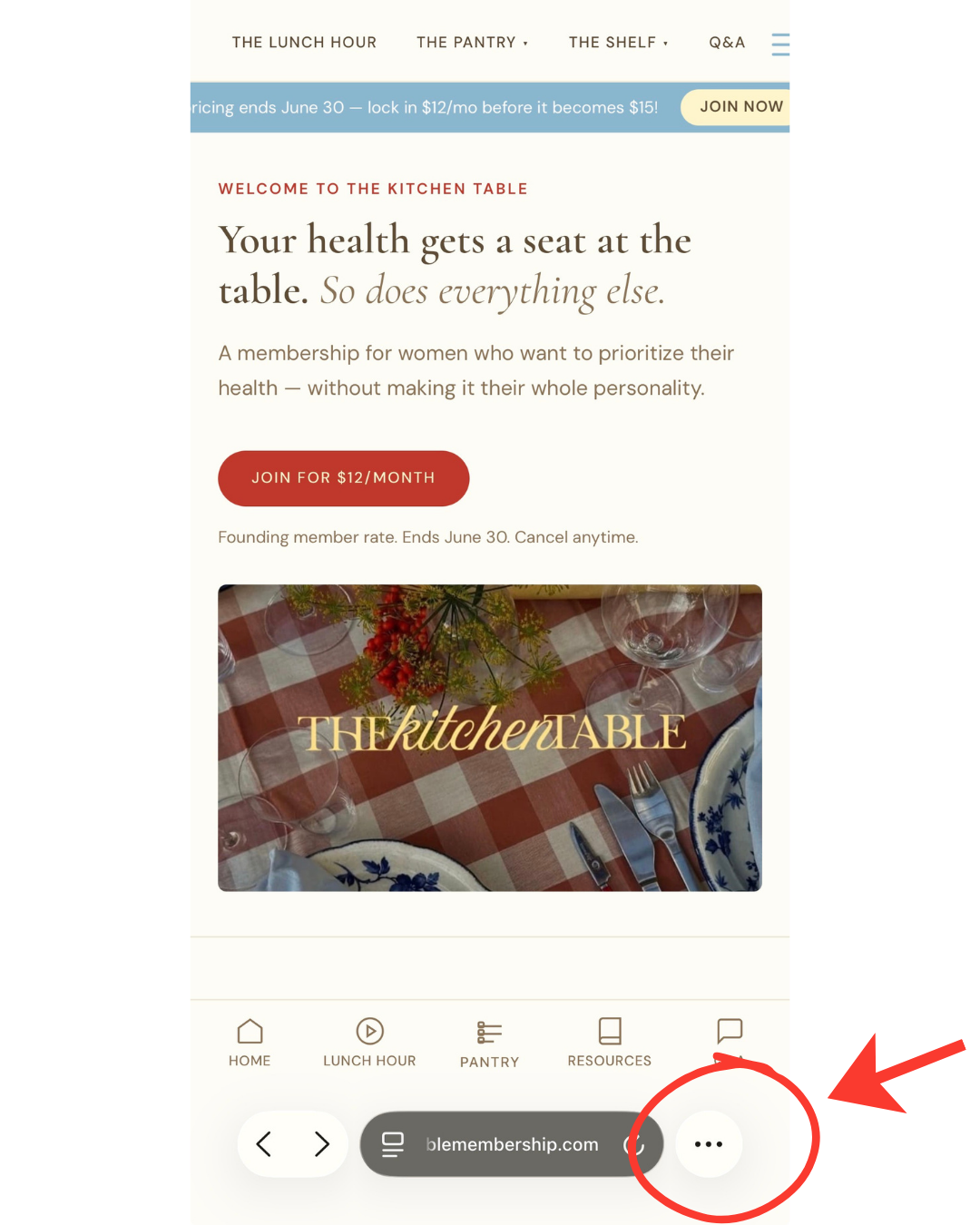
02 — Tap the three dots in the bottom right corner of the screen.
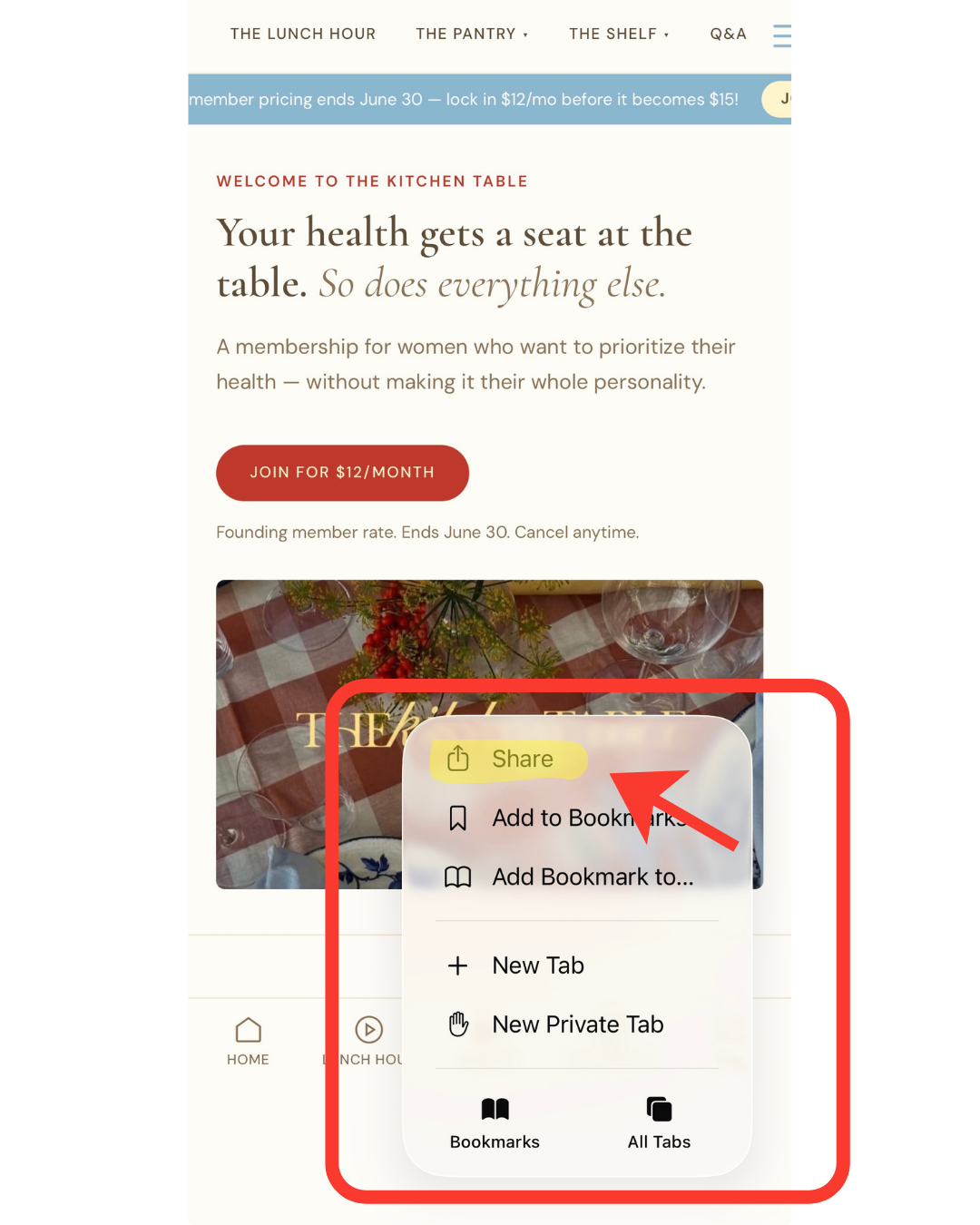
03 — A menu pops up. Tap "Share."
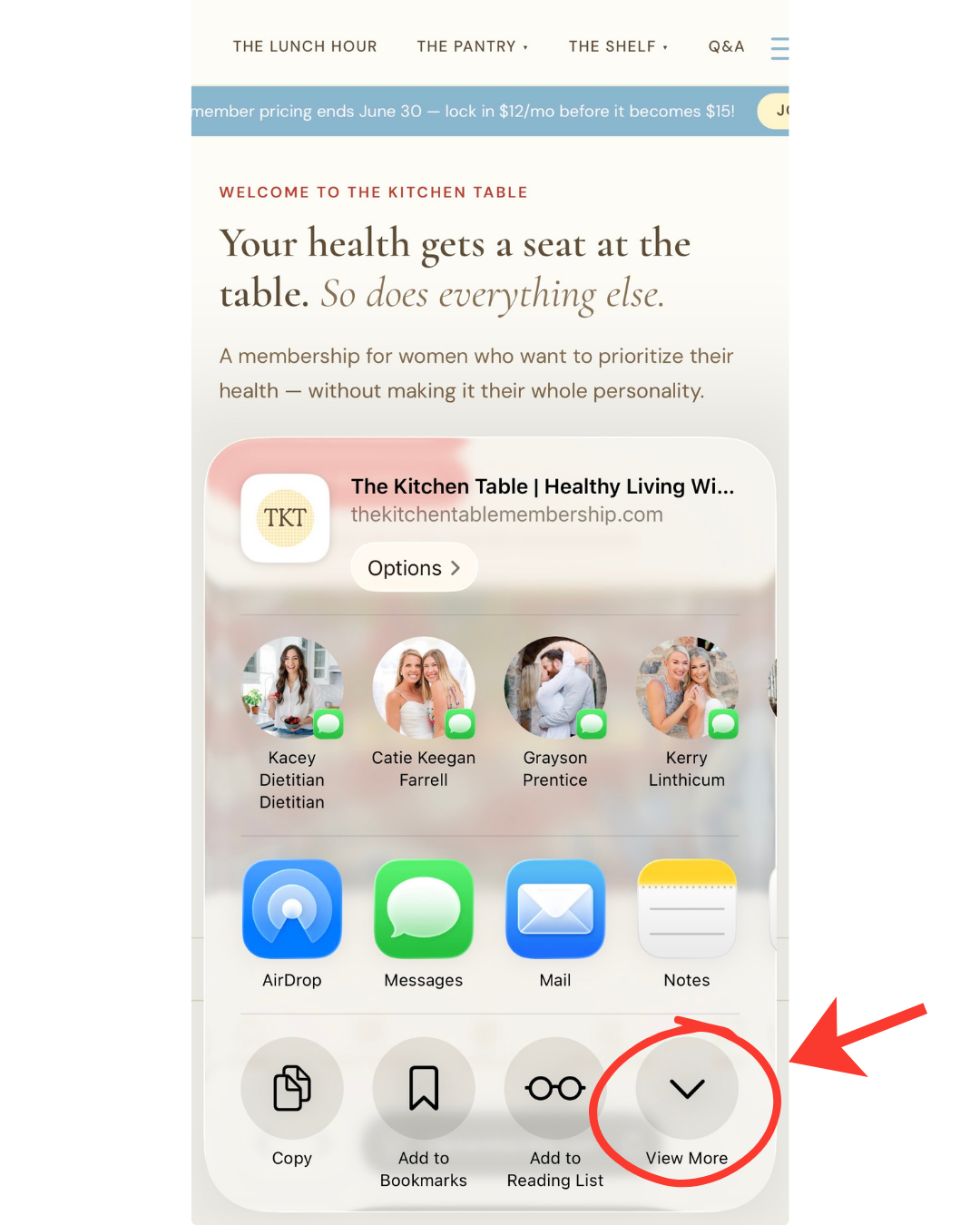
04 — Another menu. Look for "View More" in the bottom right and tap it.
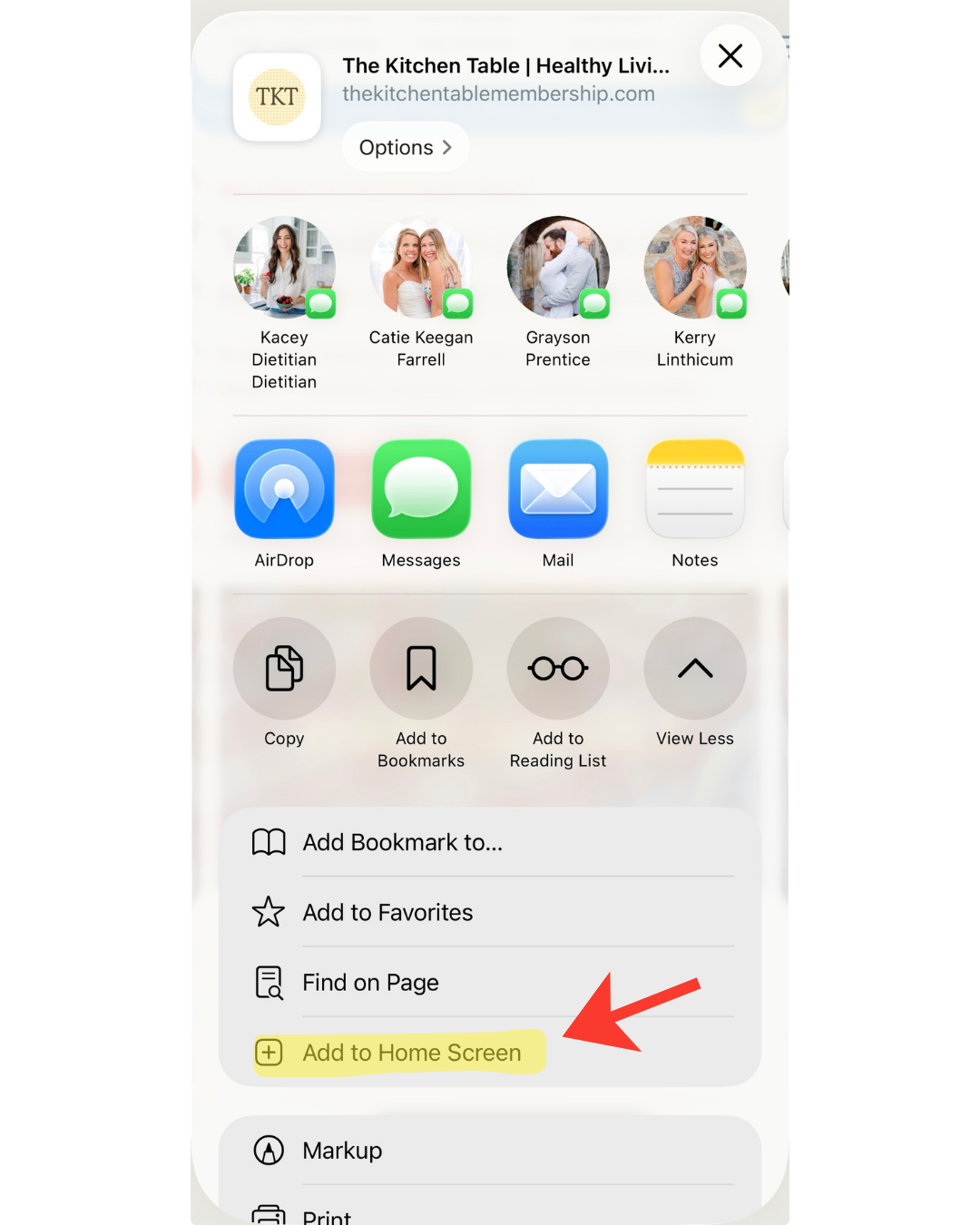
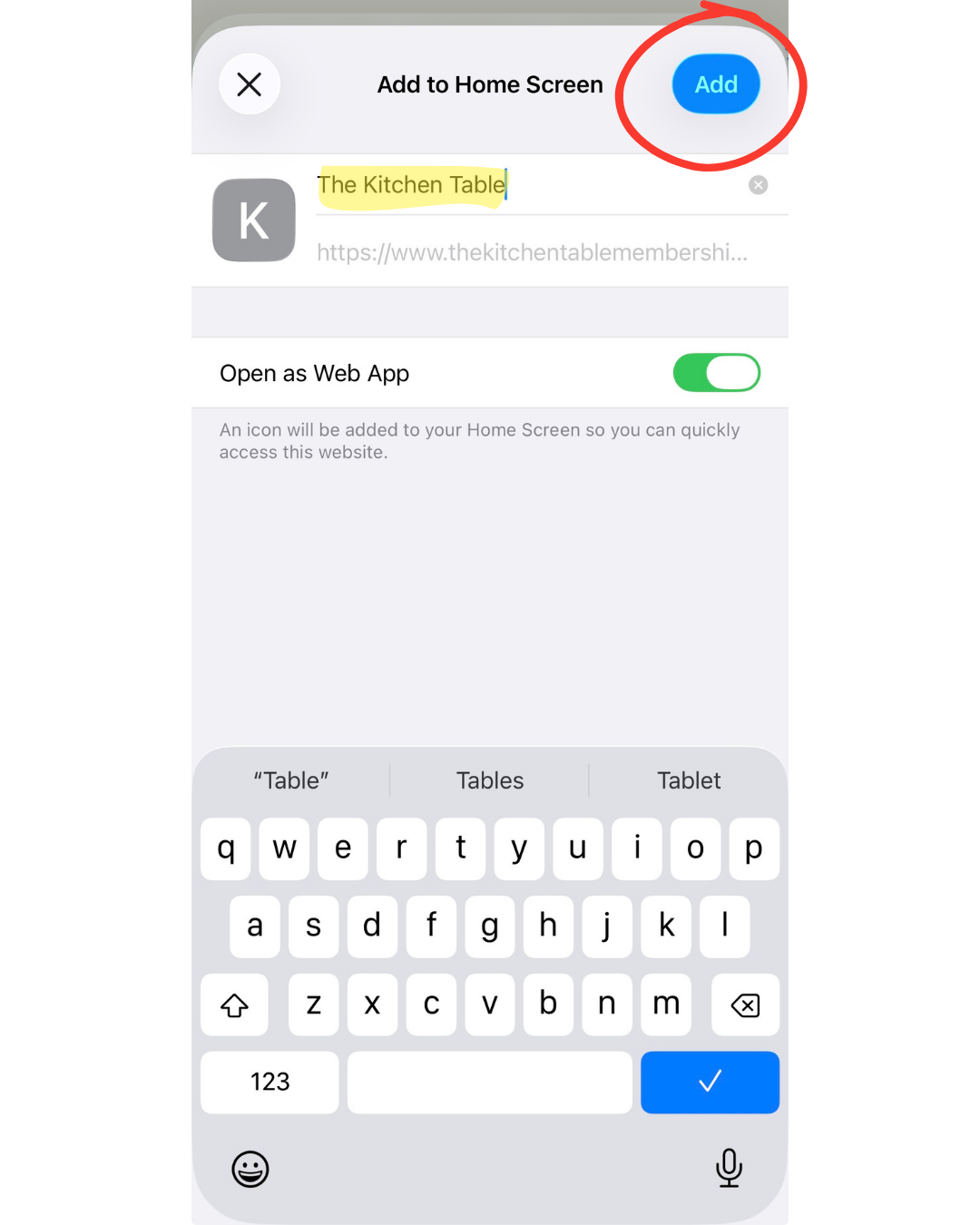
05 — More options appear. You're looking for "Add to Home Screen." Tap it.
06 — Confirm the name says "The Kitchen Table" and tap Add.
07 — Done. It'll show up on your home screen and behave like an app (mostly). There are a few quirks because it's not technically a real app yet, but we're working on it!